// Screenshots
Lembra is a notebook of alerts: you create one record for each thing that expires or needs renewing (insurance, the vehicle inspection, a vaccine) and the app reminds you on its own with as much lead time as you tell it. No sign-up, no internet, nothing sent anywhere.
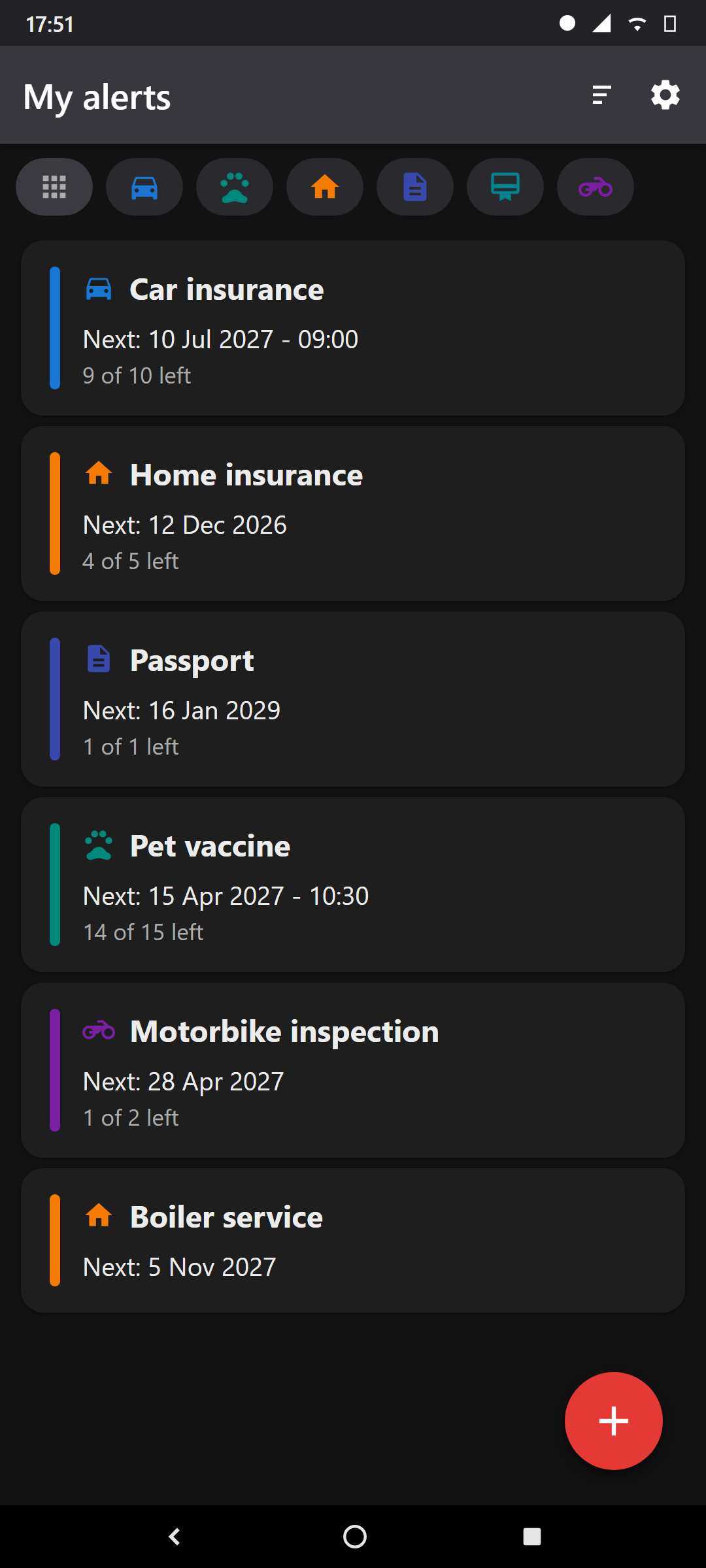
Opening the app shows "My alerts", the list of all your records. Each card shows, next to its
category icon, the title, when the next alert is —the date and, if you set one, the
time too (date - time)— and how many repetitions are left ("3 of 12 left", or "Finished"
once they have all passed).
⇅ icon in the bar): sort records by their next date,
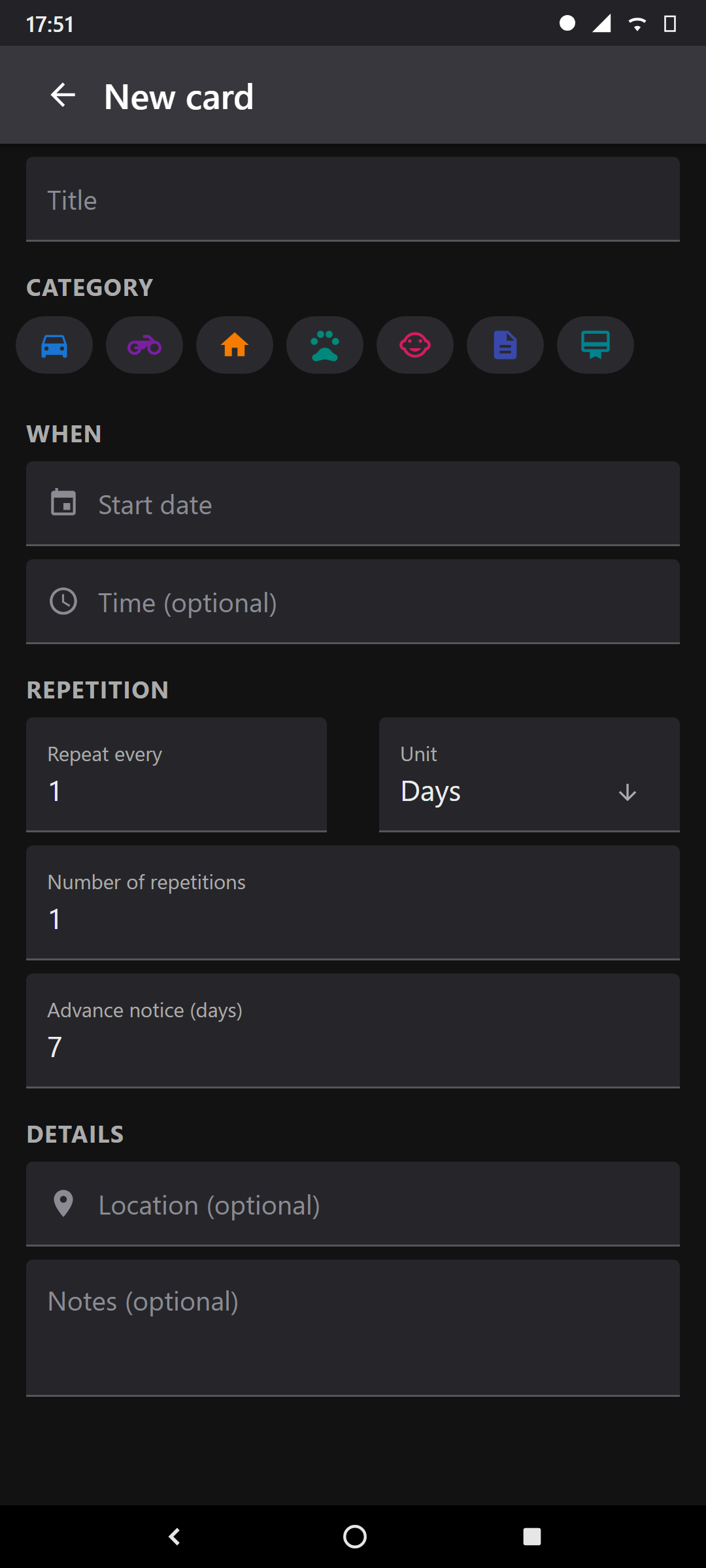
ascending (soonest first) or descending.+ button (bottom right): create a new record.The + button opens the form, split into sections. Field by field:
| Field | What it's for |
|---|---|
| Title | The name of the alert: "Car inspection", "Home insurance", "Dog's vaccine". The only required field along with the date. |
| Category | Car, Motorbike, Home, Pets, Kids, Documents, Licences or Miscellaneous. It only sets an icon and lets you filter; pick the closest one. |
| Field | What it's for |
|---|---|
| Start date | The day of the first due date. From here Lembra works out all the following ones. |
| Time (optional) | If the time doesn't matter, leave it on "No time" and it will alert in the morning. Set it if the alert must land at a specific hour. |
| Location (optional) | Free text (address, garage, clinic). Purely informational. |
| Field | What it's for |
|---|---|
| Repeat every + Unit | How often it repeats: "every 1 year" for the inspection, "every 6 months" for a service. The unit can be Days, Weeks, Months or Years. |
| Number of repetitions | How many times in total. Set 1 for a one-off alert (a vaccine that doesn't repeat); set 12 for twelve occurrences. |
| Advance notice (days) | How many days before you want the alert. With "15" it warns you 15 days before each due date, not just the first. |
| Field | What it's for |
|---|---|
| Notes (optional) | Any note: policy number, garage phone, whatever. |
When you save, Lembra automatically schedules all the alerts. If you later edit the record, it cancels the old ones and reschedules them; if you delete it, they are removed. The Delete button is inside the edit form.
Lembra doesn't need to be open or running in the background. When you save a record, it "hands off" each notification to Android's own clock (the same mechanism an alarm-clock alarm uses). That's why the alerts survive turning the phone off and on: on reboot, Lembra re-registers every pending alert.
It schedules one alert per repetition, not just the next one: if something repeats twelve times, it sets all twelve alarms. On phones with very aggressive battery saving the alert could arrive a few minutes late; for expiry dates that's irrelevant. If you want maximum punctuality, tell the system not to optimize Lembra's battery.
In the System calendar section you can turn on "Add to the phone's calendar". If you enable it, in addition to Lembra's own alert, the app creates a real event in your calendar (Google Calendar, the manufacturer's…) for each repetition, with its own reminder and the location. You choose where to write with "Target calendar".
What for? So the alert also shows up in the calendar you share or view on your computer, not just as a notification. The first time it will ask for calendar permission. The nice part: Lembra is in charge of those events — if you edit or delete the record, its calendar events regenerate or delete themselves, with nothing to clean up by hand. If you leave it off, only Lembra itself alerts you.